Multilingual content
Defining languages
Before fields can be maintained in multiple languages, the supported languages of the namespace must be defined. To do this, an API with the fixed name languages is created in the namespace. All APIs of this namespace can then use it.
{
    "fields": {
        "code": {
            "cms": {
                "column": true,
                "unique": true
            },
            "empty": false,
            "type": "string"
        },
        "display": {
            "cms": {
                "column": true
            },
            "type": "string",
            "optional": true
        }
    },
    "hideId": true
}
curl -X POST -u "$USER" -H 'Content-Type: application/json' -d @languages.json "$CMS/schema/tutorial/languages"

curl -X POST -u "$USER" -H 'Content-Type: application/json' -d '{ "code": "de", "display": "Deutsch" }' "$CMS/data/tutorial/languages"
curl -X POST -u "$USER" -H 'Content-Type: application/json' -d '{ "code": "en", "display": "English" }' "$CMS/data/tutorial/languages"
curl -X POST -u "$USER" -H 'Content-Type: application/json' -d '{ "code": "fr", "display": "Français" }' "$CMS/data/tutorial/languages"
codemust be present: a required string, unique (unique) and not empty (empty). Standard codes such asen,deorfrshould be used.displayis strongly recommended. The editing application shows this name in the language selection, otherwise thecode.- Further fields can be added as needed.
en has a special meaning in the editing application: it is the initial language if the API does not specify a defaultLanguage (see API configuration), and localizable columns of the list show the English value. When delivering the data, the CMS does not automatically fall back to another language. If a translation is missing, the application must decide for itself what to display.
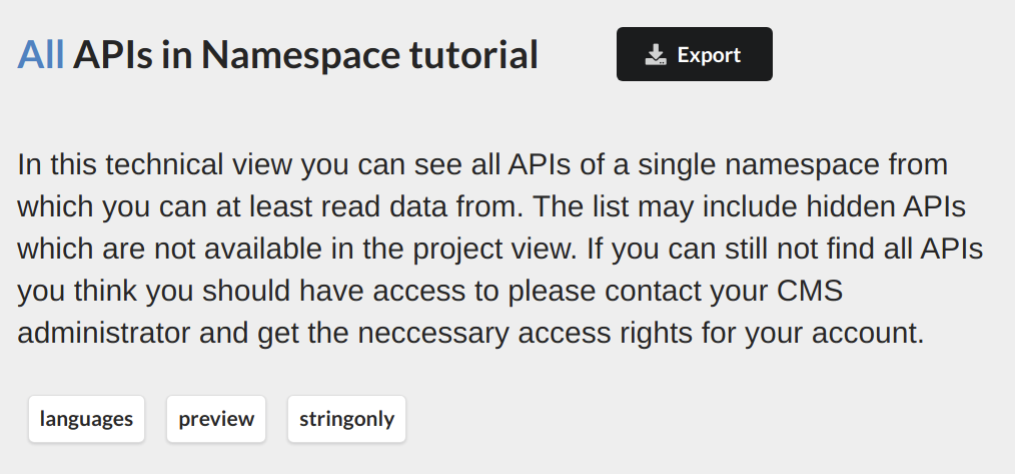
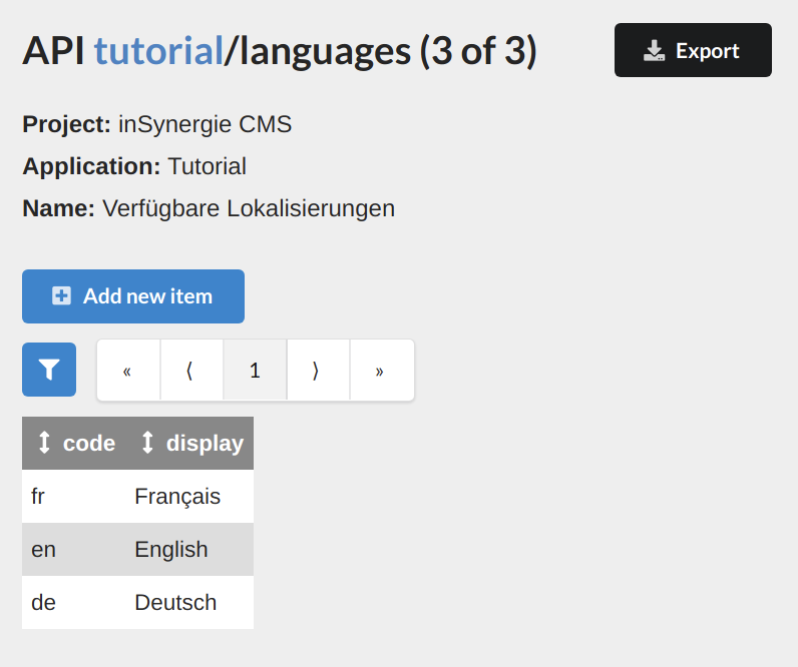
Anyone who queries or writes multilingual records also needs read rights on the API languages of the namespace (see Rights).
Multilingual fields
In principle, any field can be marked as localizable ("localizable": true), except GEO coordinates.
{
    "fields": {
        "name": {
            "cms": {
                "column": true
            },
            "empty": false,
            "type": "string"
        },
        "title": {
            "cms": {
                "column": true
            },
            "type": "string",
            "localizable": true,
            "optional": true,
            "empty": false
        }
    }
}
name is a required string; title is optional, must not be empty and is localizable.
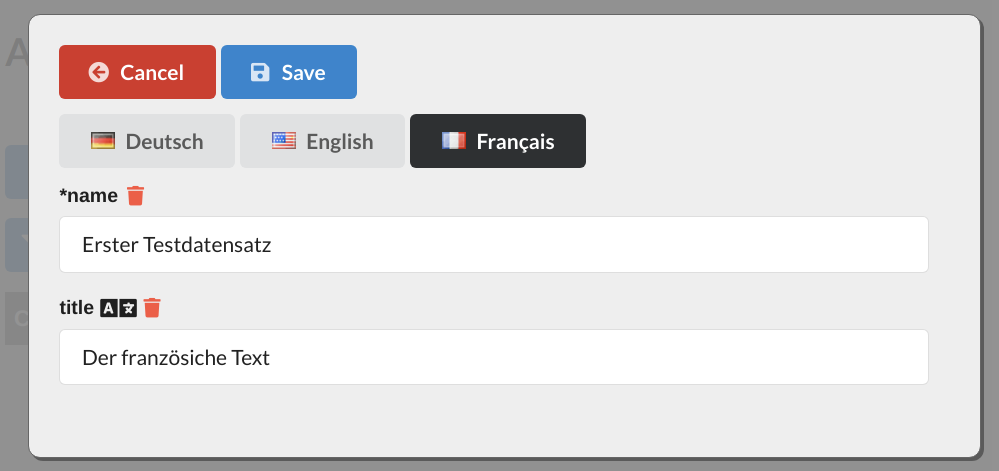
The editing application offers the languages defined in languages for switching. A symbol after the field name marks title as localizable. The variants are entered via the language switch.
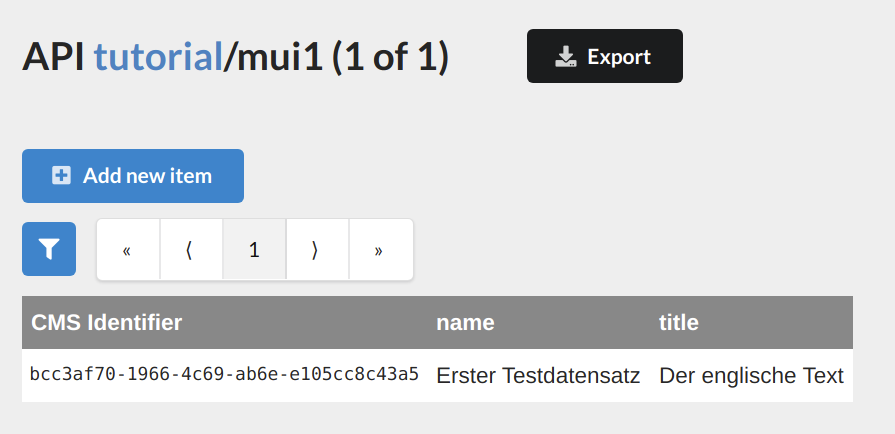
In the list, a localizable column always shows the value of the en variant.
An API can have multiple localizable fields, including files:
{
    "fields": {
        "name": {
            "cms": {
                "column": true
            },
            "empty": false,
            "type": "string"
        },
        "title": {
            "cms": {
                "column": true
            },
            "type": "string",
            "localizable": true,
            "optional": true,
            "empty": false
        },
        "image": {
            "type": "file",
            "localizable": true,
            "optional": true
        }
    }
}
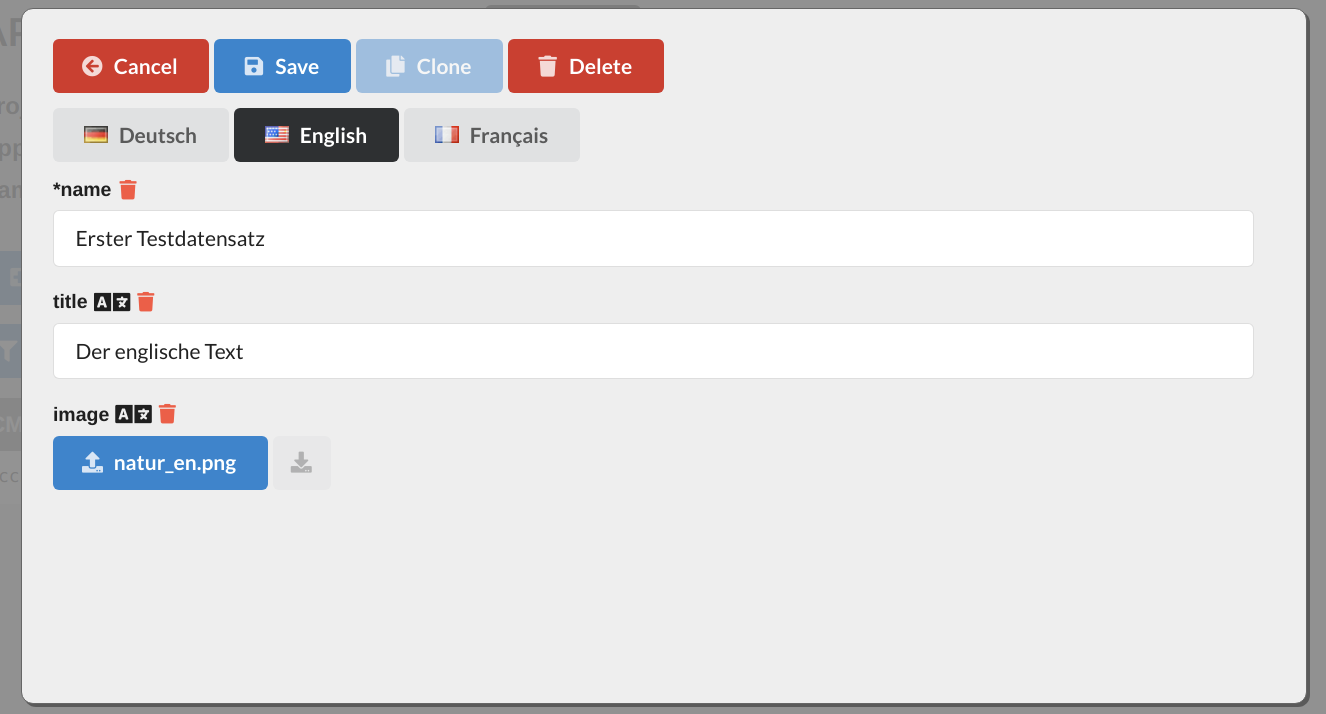
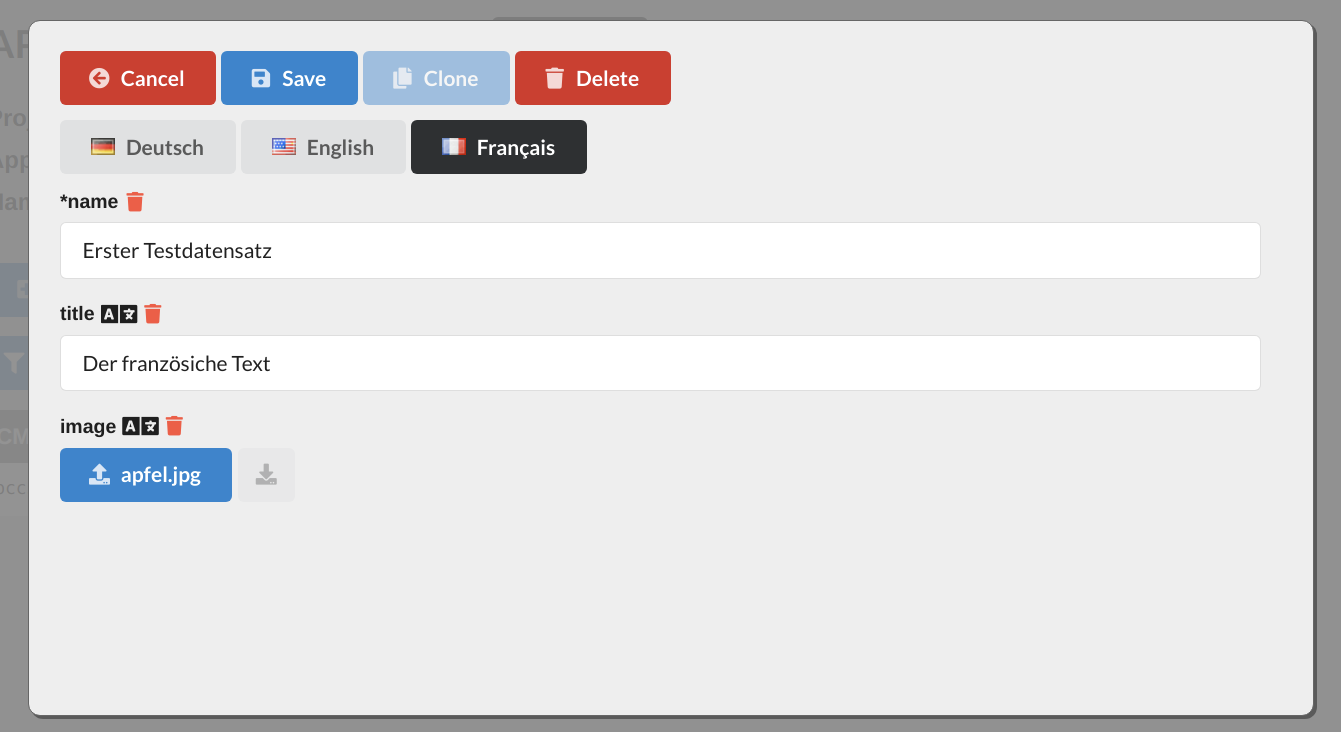
The language switch shows the record from the perspective of the selected language: all localizable fields appear in this language.
Localizable structures
There is also another approach for the example:
{
    "fields": {
        "name": {
            "cms": {
                "column": true
            },
            "empty": false,
            "type": "string"
        },
        "image": {
            "type": "object",
            "optional": true,
            "localizable": true,
            "strict": true,
            "properties": {
                "title": {
                    "type": "string",
                    "optional": true,
                    "empty": false
                },
                "content": {
                    "type": "file",
                    "optional": true
                }
            }
        }
    }
}
Here, the image (content) and description (title) are combined in a substructure image. The language switch then applies to the structure as a whole. If it is extended, new fields are automatically part of the localization. Depending on the application, one approach or the other is more useful, possibly also a combination.
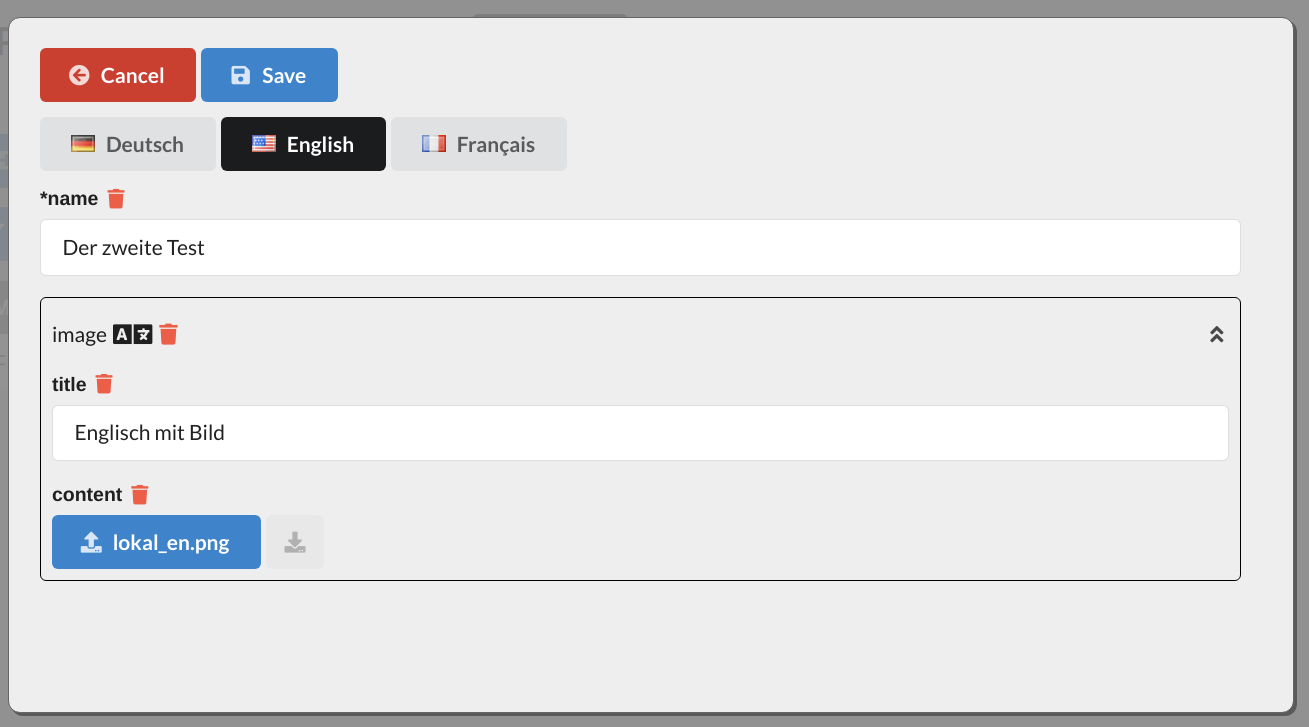
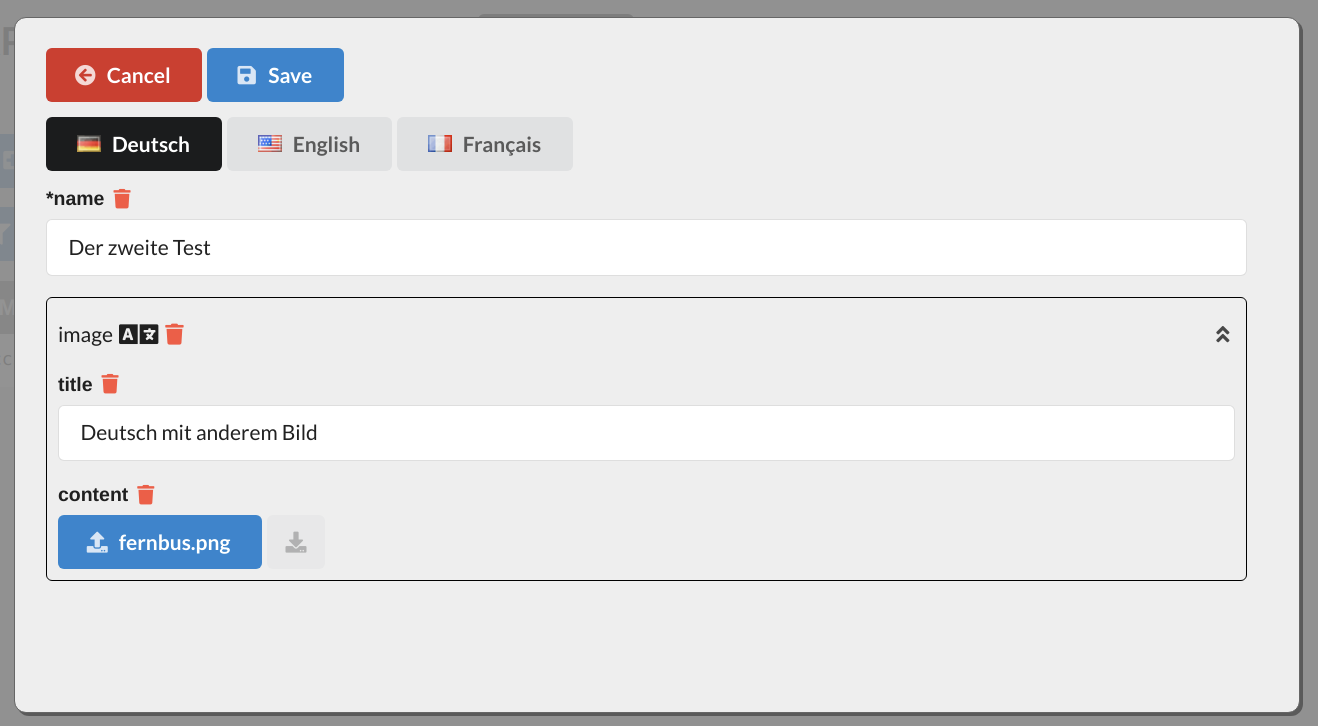
The localization symbol shows that switching actually only applies to the whole structure image, not to the fields title and content contained in it.
Limitation
Making the fields within a localized structure additionally localizable currently makes little sense: the language switch always applies to all fields equally. If German is selected, only the German variants of title and content can be maintained in the German variant of the structure, only the English ones for English, and so on.
Representation in the interface
If a field is localizable, the interface always transfers an object instead of the value. Its keys are the language codes; the values correspond to the data type of the field.
{
    "name": "Deutschland"
}
becomes, with a localizable name:
{
    "name": {
        "de": "Deutschland",
        "en": "Germany",
        "fr": "Allemagne"
    }
}
Only language codes entered in the API languages of the namespace are allowed. An unknown code is rejected, e.g. The object 'name' contains forbidden keys: 'fr'. Not every language has to be filled. Even with ?exported, the CMS returns all existing languages; the application makes the selection.
In queries, the language is appended to the field name with a dot, e.g. name.de.